
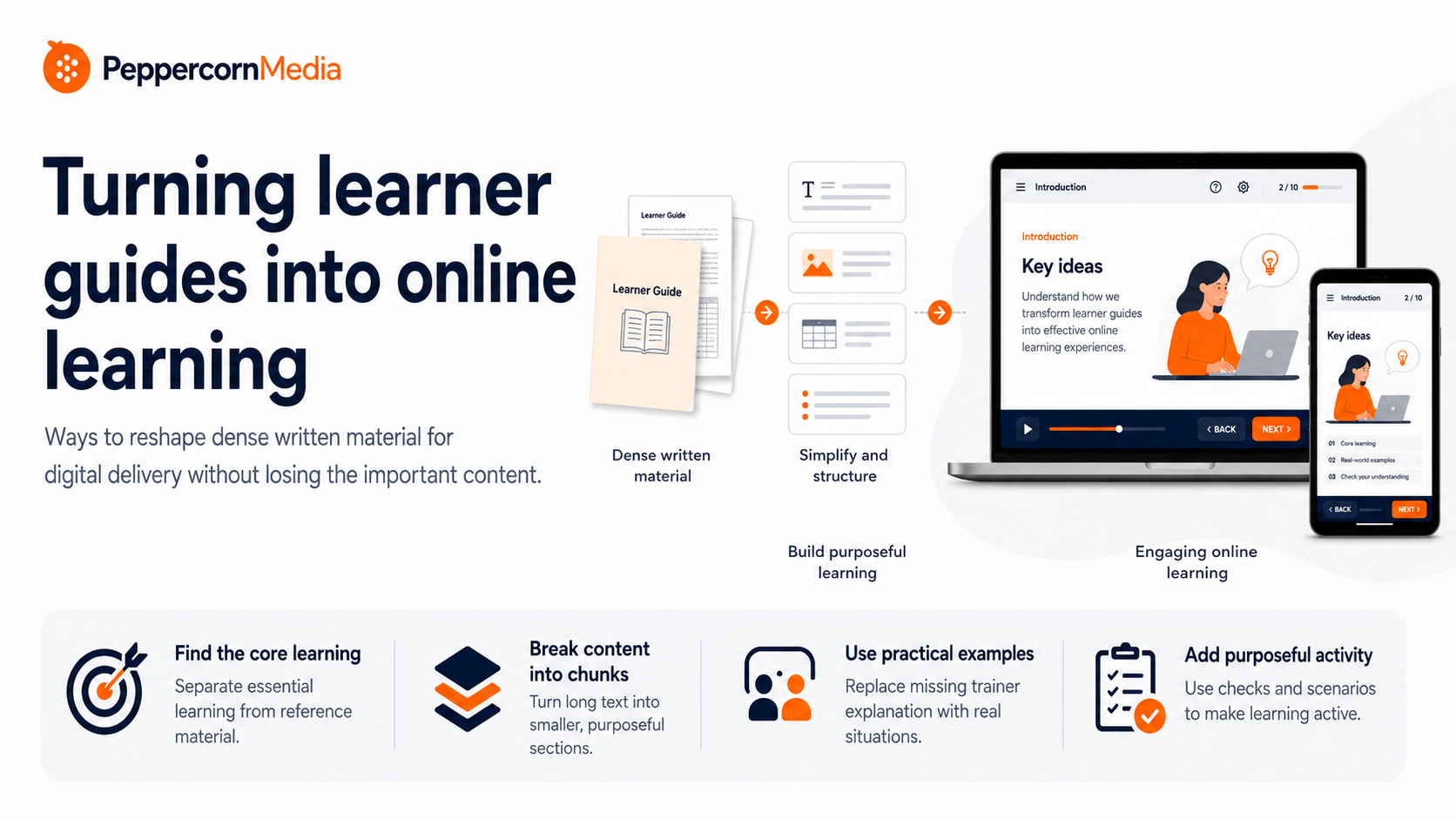
Ways to reshape dense written material for digital delivery without losing the important content
Many organisations already have valuable training content sitting in learner guides, manuals, PDFs, handbooks or policy documents.
That content often contains the right information however learner guides are usually written for a different purpose. Although a learner guide may have been designed for classroom delivery, self-paced reading, assessment support, trainer-led explanation or compliance evidence, it does not mean it will automatically work as online learning.
Moving a learner guide into an LMS is more than just a formatting job. It can become a complex learning design job.
The aim is not to strip the content back until it becomes too simple. Instead, the aim is to reshape it so learners can move through the material, understand what matters, check their understanding and apply the information in a practical way.
A learner guide is not an online module
A learner guide can be detailed, comprehensive and useful, but it is usually still a document, such as a Word doc or PDF, with some images thrown in.
Online learning works differently.
A ‘document’ expects the learner to read slabs of text on a page, but an eLearning module should guide the learner through a presentation or sequence of the information. It needs to create a clear path, introduce ideas in manageable pieces, provide context, use examples, and give the learner opportunities to interact with the content.
This is especially important when the learner does not have a trainer sitting beside them to explain what each section means, or to clarify more complex ideas.
A learner guide might say:
“Review the relevant workplace procedure and ensure the appropriate reporting process is followed.”
An online module needs to make that more usable. It might explain the situation, show the process, ask the learner what they would do first, and then provide feedback.
That is the difference between presenting information and designing learning.
Start by identifying what the learner actually needs
The first step is not to copy the learner guide into a course builder.
The first step is to ask:
What does the learner need to know, do or decide by the end?
This question helps separate essential learning content from supporting reference material.
Some content needs to be taught. And some other content needs to be available as a reference. While some content may be useful for trainers, assessors or compliance records, it may not be necessary in the main learner journey.
A good learner guide to eLearning module conversion process looks for the core learning path inside the document.
For example:
- What concepts need to be introduced?
- What procedures need to be followed?
- What decisions does the learner need to make?
- What common mistakes should be avoided?
- What examples would make the content clearer?
- What information can sit in a downloadable resource instead of the main module?
Considering these questions as you develop the eLearning keeps the online module focused.
Break dense content into smaller learning chunks
Learner guides often contain long sections of text. That may be acceptable in a document, but it can become exhausting online.
Online learning works best when content is broken into smaller, purposeful chunks.
A dense section from your learner guide might become:
- a short introduction
- a plain-English explanation
- a visual process
- a practical example
- a short activity
- a key takeaway
This does not mean making the content shallow. It means giving the learner a better way to process it.
For example, a five-page section on a workplace process might become a short sequence of slides with:
- why the process matters
- when the process applies
- the steps involved
- a realistic example
- a knowledge check
- a downloadable quick reference
That is usually much easier to follow than scrolling through a long wall of text.
Keep the important content, but change the form
One of the biggest concerns when converting learner guides is the fear of losing important information.
That concern is valid. But the answer is not to delete anything that looks complicated. The answer is to decide where each piece of information belongs.
Some content should appear in the module because it is essential to the learning, while some content can be summarised in the module and linked as a supporting reference. Whereas other content might be better placed in a job aid, checklist, glossary or downloadable resource.
For example:
| Source content | Better online treatment |
|---|---|
| Long policy extract | Plain-English summary with link to full policy |
| Complex process | Step-by-step visual or interaction |
| Definitions | Glossary or click-to-reveal terms |
| Compliance detail | Supporting reference or downloadable PDF |
| Common errors | Scenario or knowledge check |
| Trainer explanation | Narration, example or guided explanation |
The content is not lost. It is placed where it will be most useful.
Replace passive reading with purposeful activity
Learner guides tend to rely heavily on reading. Instead, an online module needs to ask the learner to do something meaningful with the content.
This does not mean adding interaction for the sake of it.
Useful activities might include:
- choosing the best response in a realistic situation
- identifying the correct step in a process
- sorting examples into categories
- checking understanding after a short section
- exploring a process through tabs or hotspots
- applying a rule to a workplace example
- receiving feedback on a decision
The key is that interaction should support the learning.
If the learner only clicks to reveal more paragraphs, that may not be enough. But if the learner clicks through a process, answers a realistic question or receives useful feedback, the content becomes more active.
Use examples to replace missing trainer explanation
In classroom training, the trainer often makes the learner guide come alive.
They explain what matters, add examples, respond to questions and connect the content to real work. When the course moves online, that trainer explanation can disappear.
This is why examples are so important.
A learner guide might describe a requirement. An online module should show what that requirement looks like in practice.
For example:
“Workers must report hazards promptly.”
That statement is clear, but it may not be enough. A better online treatment might include:
- a short workplace scenario
- examples of actual hazards
- a question about what to do first
- feedback explaining the correct response
- a link to the reporting process
That approach helps the learner better absorb the requirement and apply it in context, not just read it and move on.
Think about the learner’s screen, not the printed page
A learner guide is often designed for A4 pages. Online learning is viewed on screens, sometimes on laptops, tablets or phones.
That changes the design and the way the information is structured.
Long paragraphs, large tables and detailed diagrams generally don’t transfer well to an online eLearning module. They may need to be simplified, redesigned or separated into supporting resources.
So before moving content out of a Learner Guide and into an online learning module, consider:
- Will this be readable on the expected device?
- Does the learner need to scroll too much?
- Is the table too wide?
- Is the diagram too detailed?
- Would this work better as a downloadable resource?
- Does the screen have a clear visual focus?
A good online module should feel designed for digital delivery, not like a document squeezed into an LMS.
Keep assessment and learning separate
For RTOs, learner guides often sit close to assessment requirements. That is understandable, but it can create problems if the online learning module starts to feel like an assessment document.
The learning material should help the learner build understanding before assessment.
Knowledge checks and activities can support that process, but they should not be confused with formal assessment unless the course has been designed that way.
A useful online learning module can include:
- formative knowledge checks
- scenario practice
- examples
- feedback
- reflection prompts
- links to assessment preparation resources
This helps learners prepare without turning every screen into an assessment task.
Use a clear module structure
A learner guide conversion works best when the final module has a clear structure.
A simple structure might be:
- Introduction
What the topic is and why it matters. - Key ideas
The main concepts explained in plain English. - How it works in practice
Examples, process steps or workplace situations. - Check your understanding
Short questions or activities with feedback. - Key takeaways
A summary of the main points. - Resources or next steps
Links, downloads, assessment preparation or workplace references.
This kind of structure helps the learner move through the content with less friction.
The goal is clarity, not decoration
Converting a learner guide into online learning does not mean simply making it look more colourful. Yes, visual design matters, but the main goal is clarity.
A good conversion to eLearning should make the content:
- easier to navigate
- easier to understand
- easier to apply
- easier to review
- easier to deliver through an LMS
The design should support the learning. If an image, animation or interaction does not help the learner understand the content, then consider if it even needs to be there.
Signs a learner guide needs redesign before going online
A learner guide may need significant reshaping if:
- it has long, dense sections of text
- it relies heavily on trainer explanation
- it contains large policy or procedure extracts
- it includes complex tables or diagrams
- it has few examples
- it has no learner activities
- it does not clearly separate essential content from reference material
- it is written more for compliance than for learner understanding
- it would be difficult to read on a screen
- it does not have a clear learning sequence
These are common issues. They do not mean the content is poor. They mean it needs to be redesigned for a different delivery format.
A practical starting point
If you have a learner guide that needs to become online learning, start by reviewing one section.
Ask:
- What is the key message in this section?
- What does the learner need to do with this information?
- What can be simplified?
- What needs an example?
- What could become an activity?
- What should become a downloadable reference?
- What should stay out of the main module?
That small review often reveals how much work is involved.
The plain-English version
Turning a learner guide into online learning is not about copying text into screens.
It is about reshaping the content so learners can follow it, understand it and use it.
The important content can stay, but it may need a new form: shorter explanations, clearer structure, examples, activities, knowledge checks, visuals and supporting resources.
A good online module should not feel like a document trapped inside an LMS. It should feel like a guided learning experience.
Need help turning learner guides into online learning?
PeppercornMedia helps organisations reshape learner guides, manuals and training documents into clearer online learning materials for LMS, blended or digital delivery.
View PeppercornMedia’s eLearning development services

Simon Peppercorn
eLearning Developer & Training Design Professional
Simon is the founder of PeppercornMedia, with over 20 years of experience in the Australian VET sector. He develops clear, practical online learning for organisations that need training built properly. Learn more